Less repetitive work.
More creative freedom.
EditPilot brings creative guidance and reviewable editing suggestions into Adobe Premiere Pro, helping you spend more time shaping the story.
From creative block
to creative flow.
Analyze Video helps you discover what to add next. Smart Auto Cut helps you review the repetitive edits that slow you down. Both keep you in control of the final cut.
From creative block
to creative flow.
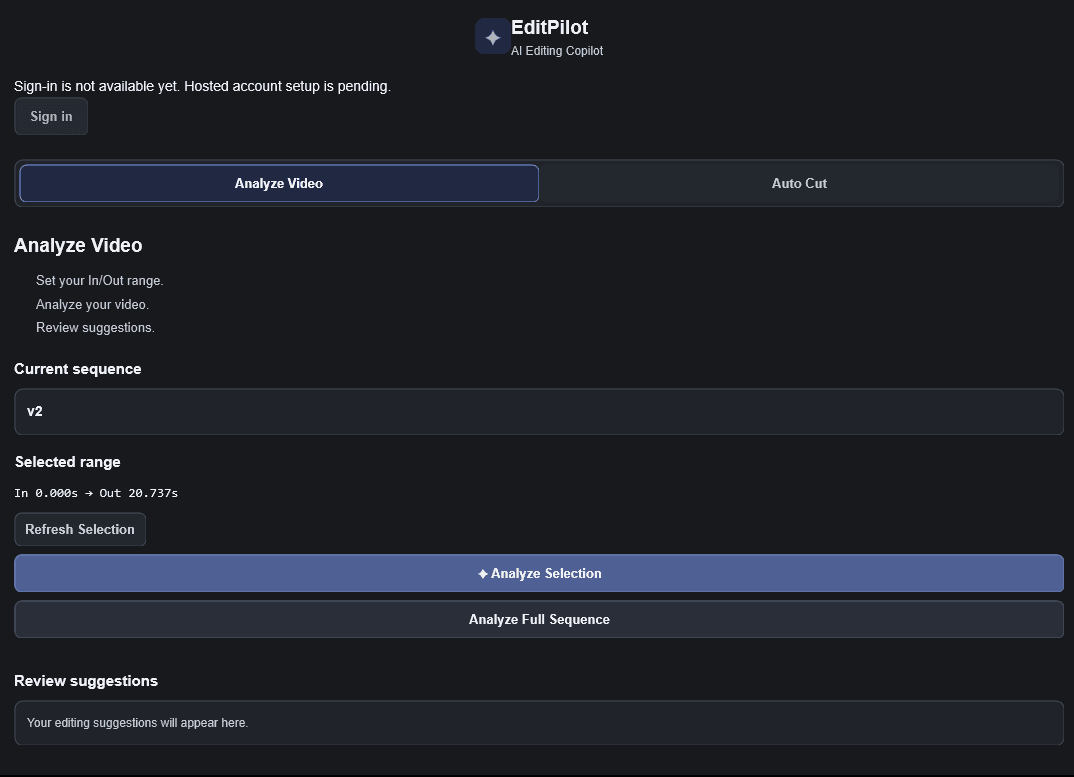
Stuck on what to add next? Analyze Video helps you discover creative editing ideas based on your content — from B-roll suggestions and visual treatments to pacing and sound design.
- Overcome creative block
- Discover relevant editing ideas
- See opportunities to strengthen your video
- Get contextual guidance on what to add next
- Stay in complete creative control
Less cutting.
More creating.
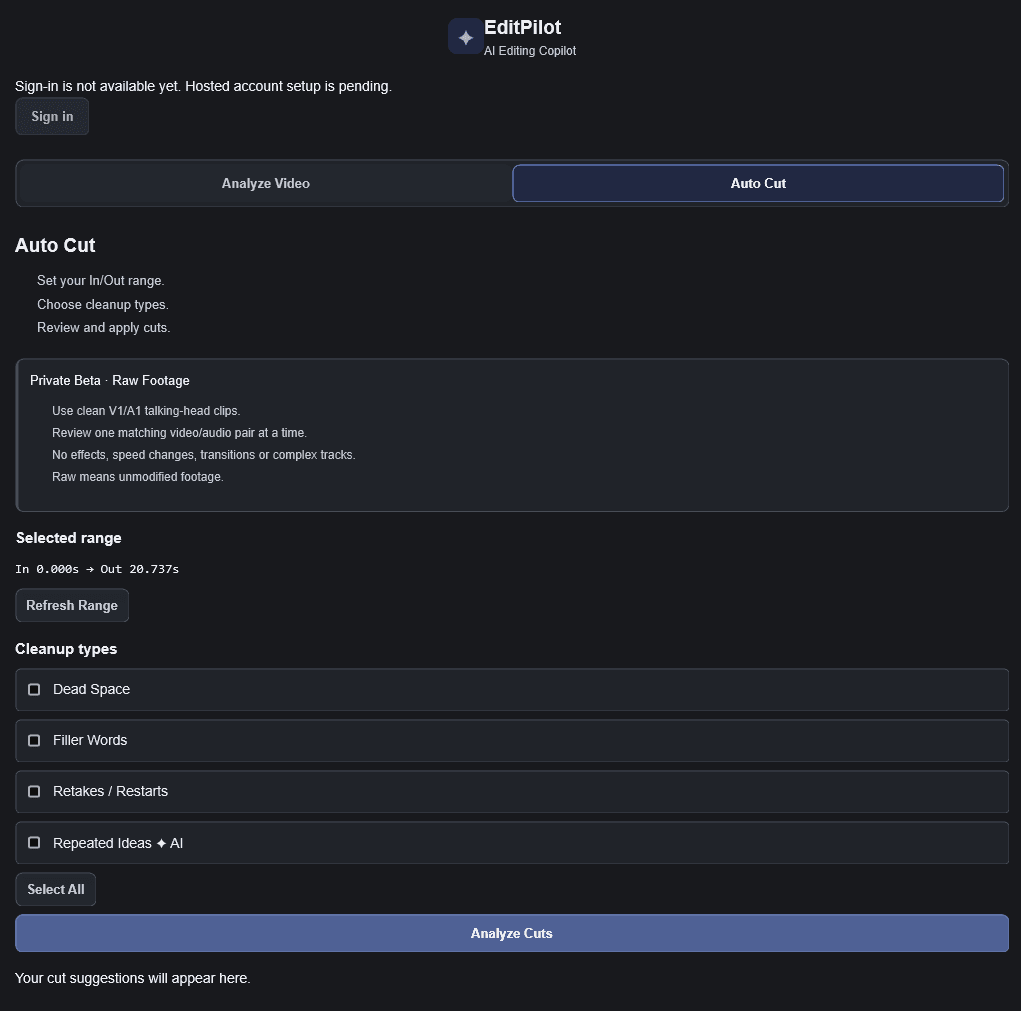
Spend less time cleaning up repetitive edits. Smart Auto Cut helps detect dead space, filler words, retakes and repeated ideas, so you can focus on the creative side of editing.
- Dead Space
- Filler Words
- Retakes / Restarts
- Repeated Ideas
Choose the detection engines you want, review suggested moments in context, then decide which changes to apply. Nothing is cut until you approve it.
The supplied image is a development preview of the plugin interface.Stay in the
creative seat.
Less repetitive work. More room for creative decisions. EditPilot supports your process while you decide what belongs in the cut.
Open your project
Work with your sequence in Adobe Premiere Pro, with EditPilot by your side.
Choose a workflow
Find creative direction with Analyze Video or choose the patterns Smart Auto Cut should look for.
Review and decide
Explore ideas and proposed cuts in context, then choose what to keep.
Your timeline stays
in your hands.
EditPilot is being built as an Adobe Premiere Pro plugin. It belongs alongside the tools you already use, helping you discover creative ideas and review repetitive edits where your work happens.
Premiere Pro version requirements and installation details will be published with the verified release.
A closer look is
coming into focus.
We’ll add real demonstration videos when recordings of EditPilot are ready.
Make the next
cut count.
EditPilot subscription pricing is being prepared. Plans and feature allowances will be shared when they are finalized.
No purchase or download is available yet.